Abcdefghijklmnopqrstuvwxyz typing game for Beginners
9 more typing games: (1) Nitro Type (2) Ninja Cat (3) TypeRacer / Type Racer (4) Zombie Typing Game Typocalypse (5) Dance Mat Typing (6) Keyboard Climber 2 (7) Just Type This (8) Flying Race (9) Save The Child
★★★ 168 Typing Lessons ★★★ $375 Course FREE (Limited Time Offer)
To start the game, just click on the game canvas or type 1, 2, or 3 on your keyboard.
Complete a Typing Test in 60 Seconds!
144 Free Typing Practice Lessons. Try Now.
Video Tutorial: How to play this game
How to play:
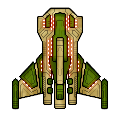
The beautiful spaceship above is your spaceship. In this ZType / Z Type game, you should shoot the approaching enemy spaceships up. The enemy spaceships will approach from the opposite side. But they will not be able to shoot you until they are very close to you. Type the word you see behind your target enemy spaceship before they shoot you.
Very important: Always try to shoot the nearest spaceship first so that no enemy can approach very close to shoot you.
Every time you select a word / enemy, the color of target word will change. Once you successfully finish typing your target word, an explosion will occur and your target enemy will go away.
To select / change difficulty level, please type / press 1, 2, or 3 on your keyboard when you see the game start or game over screen.
You must type fast to win every time in this ZType / Z Type game.
In the easy level, you must score minimum 26 words per minute to win. In the medium level, minimum 46 words per minute is required. But in the hard level, you need minimum 81 words per minute to win.
Virtual Gold Medals: If you score more than 80 words per minute, you will get three virtual gold medals which is the highest rank in this game. If you are winning three virtual gold medals every time, you surely have professional typing skill which is a desired skill for many people. But you get two virtual gold medals if score between 61 and 80. Finally, you get only one gold medal for scoring between 46 and 60.
The spaceships in this ZType / Z Type game are designed by MillionthVector. Thanks to them.
1. Typing Practice » Beginner Level » Home Row (1 - 17)
Practice Lesson 1: Index fingers: J and F
Practice Lesson 2: Middle fingers: K and D
Practice Lesson 3: Review: JFKD
Practice Lesson 4: Ring fingers: S and L
Practice Lesson 5: Pinkie fingers: A and ;
Practice Lesson 6: Index fingers: G and H
Practice Lesson 7: Back and forth
Practice Lesson 8: Left hand keys 1
Practice Lesson 9: Left hand keys 2
Practice Lesson 10: Right hand keys 1
Practice Lesson 11: Right hand keys 2
2. Typing Practice » Beginner Level » Top Row (18 - 32)
Practice Lesson 18: Index fingers: R and U
Practice Lesson 19: Middle fingers: E and I
Practice Lesson 20: Ring fingers: W and O
Practice Lesson 21: Pinkie fingers: Q and P
Practice Lesson 22: Index fingers: T and Y
Practice Lesson 23: Back and forth
Practice Lesson 24: All left hand 1
Practice Lesson 25: All left hand 2
Practice Lesson 26: All right hand 1
Practice Lesson 27: All right hand 2
3. Typing Practice » Beginner Level » Bottom Row (33 - 46)
Practice Lesson 33: Index fingers: V and M
Practice Lesson 34: Middle fingers: C and ,
Practice Lesson 35: Ring fingers: X and .
Practice Lesson 36: Pinkie fingers: Z and /
Practice Lesson 37: Index fingers: B and N
Practice Lesson 38: Back and forth
Practice Lesson 39: All left hand 1
Practice Lesson 40: All left hand 2
Practice Lesson 41: All right hand 1
Practice Lesson 42: All right hand 2
4. Typing Practice » Beginner Level » Miscellaneous (47 - 68)
Practice Lesson 47: Review 1: Left hand words
Practice Lesson 48: Review 2: Right hand words
Practice Lesson 49: Review 3: Alternating hand words
Practice Lesson 50: Capitals 1
Practice Lesson 51: Capitals 2
Practice Lesson 52: Capitals 3
Practice Lesson 53: Capitals 4
Practice Lesson 62: Numeric Keypad 1
Practice Lesson 63: Numeric Keypad 2
Practice Lesson 64: Numeric Keypad 3
Practice Lesson 65: Numeric Keypad 4
Practice Lesson 66: Easy Words
Practice Lesson 67: Easy Words
Practice Lesson 68: Easy Words
5. Typing Practice » Intermediate Level (69 - 110)
Practice Lesson 69: Common Letter Combinations - CK
Practice Lesson 70: Common Letter Combinations - CH
Practice Lesson 71: Common Letter Combinations - PH
Practice Lesson 72: Common Letter Combinations - GH
Practice Lesson 73: Common Letter Combinations - TH
Practice Lesson 74: Common Letter Combinations - DG
Practice Lesson 75: Common Letter Combinations - ION
Practice Lesson 76: Common Letter Combinations - OUS
Practice Lesson 77: Common Letter Combinations - ATE
Practice Lesson 78: Common Letter Combinations - QU
Practice Lesson 79: Common Letter Combinations - IAL
Practice Lesson 80: Common Letter Combinations - ENT
Practice Lesson 81: Common Letter Combinations - ER
Practice Lesson 82: Common Letter Combinations - GRA
Practice Lesson 83: Common Letter Combinations - OR
Practice Lesson 84: Common Letter Combinations - ABLE
Practice Lesson 85: Common Letter Combinations - IC
Practice Lesson 86: Common Letter Combinations - EI
Practice Lesson 87: Common Letter Combinations - ACY
Practice Lesson 88: Common Letter Combinations - EX
Practice Lesson 89: Common Letter Combinations - ON
Practice Lesson 90: Common Letter Combinations - IN
Practice Lesson 91: Common Letter Combinations - ING
Practice Lesson 92: Common Letter Combinations - ARY
Practice Lesson 93: Common Letter Combinations - LY
Practice Lesson 94: Common Letter Combinations - GY
Practice Lesson 95: Common Letter Combinations - ED
Practice Lesson 96: Common Letter Combinations - AL
Practice Lesson 97: Common Letter Combinations - TRAN
Practice Lesson 98: Common phrase practice 1
Practice Lesson 99: Common phrase practice 2
Practice Lesson 100: Common phrase practice 3
Practice Lesson 101: Common phrase practice 4
Practice Lesson 102: Common phrase practice 5
Practice Lesson 103: Common phrase practice 6
Practice Lesson 104: Common phrase practice 7
Practice Lesson 105: Common phrase practice 8
Practice Lesson 106: Common phrase practice 9
Practice Lesson 107: Common phrase practice 10
Practice Lesson 108: Common phrase practice 11
Practice Lesson 109: Common phrase practice 12
Practice Lesson 110: Common phrase practice 13
6. Typing Practice » Advanced Level (111 - 144)
Practice Lesson 111: Using Right Hand SHIFT Key
Practice Lesson 112: Using Left Hand SHIFT key
Practice Lesson 113: Using Each SHIFT Key
Practice Lesson 114: Left hand only - short words
Practice Lesson 115: Left hand only - longer words
Practice Lesson 116: Right hand only - easy words
Practice Lesson 117: Right hand only - harder words
Practice Lesson 118: Words with alternate hands letters
Practice Lesson 119: Numbers and Special Characters - Left hand
Practice Lesson 120: Numbers and Special Characters - Right hand
Practice Lesson 121: Numbers and Special Characters - Left hand - More difficult
Practice Lesson 122: Numbers and Special Characters - Right hand - More difficult
Practice Lesson 123: Tongue twisters 1
Practice Lesson 124: Tongue twisters 2
Practice Lesson 125: Tongue twisters 3
Practice Lesson 126: Tongue twisters 4
Practice Lesson 127: Tongue twisters 5
Practice Lesson 128: Tongue twisters 6
Practice Lesson 129: Tongue twisters 7
Practice Lesson 130: Tongue twisters 8
Practice Lesson 131: Tongue twisters 9
Practice Lesson 132: Tongue twisters 10
Practice Lesson 133: Tongue twisters 11
Practice Lesson 134: Tongue twisters 12
Practice Lesson 135: Tongue twisters 13
Practice Lesson 136: Tongue twisters 14
Practice Lesson 137: Tongue twisters 15
Practice Lesson 138: Tongue twisters 16
Practice Lesson 139: Tongue twisters 17
Practice Lesson 140: Tongue twisters 18
Practice Lesson 141: Tongue twisters 19
Practice Lesson 142: Tongue twisters 20
Practice Lesson 143: The hardest words to type 1
Practice Lesson 144: The hardest words to type 2
7. Typing Practice » Miscellaneous (145 - 166)
Practice Lesson 145: Alphanumeric Typing Test: 1
Practice Lesson 146: Alphanumeric Typing Test: 2
Practice Lesson 147: Alphanumeric Typing Test: 3
Practice Lesson 148: Alphanumeric Typing Test: 4
Practice Lesson 149: Alphanumeric Typing Test: 5
Practice Lesson 150: Alphanumeric Typing Test: 6
Practice Lesson 151: Alphanumeric Typing Test: 7
Practice Lesson 152: Alphanumeric Typing Test: 8
Practice Lesson 153: Alphanumeric Typing Test: 9
Practice Lesson 154: Alphanumeric Typing Test: 10
Practice Lesson 155: English Alphabet Typing Test
Practice Lesson 156: ASDF JKL; - Home-Row Practice
Practice Lesson 157: QWERT YUIOP - Top-Row Practice
Practice Lesson 158: ZXCVB NM,./ - Bottom-Row Practice
Practice Lesson 159: Left Hand Typing Practice
Practice Lesson 160: Right Hand Typing Practice
Practice Lesson 161: Symbols & Special Character
Practice Lesson 162: Numbers & symbols
Practice Lesson 163: Random Word Typing
Practice Lesson 164: Common Word Typing
Practice Lesson 165: Legal Typing Test
Practice Lesson 166: Medical Typing Practice
Practice Lesson 167: Home-Row Typing Practice Words
Practice Lesson 168: Home-Row and Upper Row Typing Practice Words
Online Typing Test in English
1 Minute Typing Test
2 Minute Typing Test
3 Minute Typing Test
5 Minute Typing Test
10 Minute Typing Test
10 Typing Games / Typewriting Games










Bookmark This Page (Ctrl + D)


Typing Test — Top 10 (ten) World Ranking
Get an online typing test certificate now
Please note: We may delete certificates older than 6 (six) months.
Best Score | World Ranking | Countrywise Ranking
Get a Certificate | Register | Log In
WPM = Words per minute
| Sl. | Name | Level | Net WPM | Accuracy | Country |
|---|---|---|---|---|---|
| 1. | Broderick Bagert | Professional | 111 | 99.10% | United States |
| 2. | Farhan | Professional | 93 | 93.96% | Indonesia |
| 3. | Teoh You Le | Professional | 83 | 95.41% | Malaysia |
| 4. | Braeden Edward O'Daniel | Fast | 68 | 97.13% | United States |
| 5. | Laura Elizabeth Ewing | Fast | 67 | 94.38% | United States |
| 6. | Laura Elizabeth Ewing | Fluent | 60 | 93.79% | United States |
| 7. | Laura Elizabeth Ewing | Fluent | 59 | 90.77% | United States |
| 8. | Laura Elizabeth Ewing | Fluent | 56 | 93.29% | United States |
| 9. | Laura Elizabeth Ewing | Fluent | 53 | 82.87% | United States |
| 10. | Osama Abbas hussain | Fluent | 47 | 100.00% | Pakistan |
How we grade your typing speed:
| Level | Net WPM |
|---|---|
| Slow | 0 - 25 |
| Average | 26 - 45 |
| Fluent | 46 - 60 |
| Fast | 61 - 80 |
| Professional | 80+ |
Performance Graph — Based on top 10 (ten) world ranking
Typing Test — Last 25 Practice Results
Get an online typing test certificate now
Please note: We may delete certificates older than 6 (six) months.
Best Score | World Ranking | Countrywise Ranking
Get a Certificate | Register | Log In
The following list shows how some users of this website have performed within last 24 hours.
WPM = Words per minute
How we grade your typing speed:
| Level | Net WPM |
|---|---|
| Slow | 0 - 25 |
| Average | 26 - 45 |
| Fluent | 46 - 60 |
| Fast | 61 - 80 |
| Professional | 80+ |
Performance Graph — Based on last 25 results
Abcdefghijklmnopqrstuvwxyz Typing Game for Beginners
Imagine sitting down in front of your computer and typing smoothly without looking at the keyboard even once. Your fingers just glide from letter to letter, every word flowing exactly how you imagine it in your mind. For many beginners, that sounds almost like magic. But what if I told you there is a fun and simple way to learn this skill without stress, confusion, or pressure? That is where the abcdefghijklmnopqrstuvwxyz typing game comes in. It is not just a game. It is a doorway to speed, confidence, and comfort on the keyboard. But here is the interesting part. Most people who try typing practice quit early because they feel overwhelmed. Why does this game specifically help beginners stay motivated? Let us talk about that, and by the end of this blog post, you will understand exactly why this method works and how to use it to become a confident typist faster than you ever thought possible.
Why Beginners Struggle With Typing
When somebody starts typing for the first time, they often look at the keyboard every few seconds. That slows them down and makes them lose focus. Their hands feel stiff and unsure. The problem usually is not speed. The real problem is muscle memory. Think about learning to ride a bicycle. At first, everything feels wobbly, awkward, and uneasy. Typing is the same. You are training your fingers to remember where each letter is. This is why the abcdefghijklmnopqrstuvwxyz typing game is so effective. It teaches your fingers the entire alphabet in the correct order, slowly, gently, and through fun repetition.
The Curious Advantage of Alphabet-Based Games
You may wonder why practicing the alphabet matters so much. After all, real writing uses random word patterns, not alphabetical sequences. But here is the secret. Alphabet drills create strong finger awareness. When your brain learns keys in a sequence, your fingers start moving smoothly across the keyboard. That is why kids who learn the alphabet song remember it for life. The abcdefghijklmnopqrstuvwxyz typing game uses that same natural learning memory loop. It turns typing into something familiar and easy to remember.
The Story of a Beginning Typist
Let me tell you a quick story. A teenager named Ethan wanted to type faster for school assignments. He tried typing tests and online lessons but kept getting frustrated. His hands would tense up. He would mistype words again and again. Then one day, he discovered the abcdefghijklmnopqrstuvwxyz typing game. The rules were simple. Type letters from A to Z in order as smoothly as possible. At first, he typed slowly. But within one week of practicing fifteen minutes a day, something changed. His fingers stopped hesitating. His speed increased. He gained confidence. Soon Ethan was typing school assignments twice as fast, without struggling. All because he practiced the alphabet in a fun and natural way.
The Core Goal of the Abcdefghijklmnopqrstuvwxyz Typing Game
The goal is not just typing faster. The goal is developing muscle memory. Muscle memory allows your hands to move on their own. You do not have to think about each letter. The game trains your fingers so well that typing becomes automatic. Once typing becomes automatic, your brain is free to focus on your ideas instead of searching for letters on a keyboard.
How the Game Works Step by Step
Step 1. Sit comfortably. Keep your back straight and your shoulders relaxed. Your hands should hover gently over the keyboard.
Step 2. Find the home row. Home row keys are A S D F on the left and J K L ; on the right. Your index fingers rest on F and J. These keys often have small bumps so your fingers can find them without looking.
Step 3. Start typing from A to Z. Type each letter in order: abcdefghijklmnopqrstuvwxyz typing game. Do not rush. Your goal is consistency and accuracy.
Step 4. Repeat. Play again. Each repetition builds stronger memory.
Step 5. Gradually increase speed. Once you feel comfortable, try to go a little faster while staying accurate.
Why This Method Works Better Than Random Word Practice
Many typing apps start beginners with full words, sentences, or even paragraphs. That can feel overwhelming because there are too many moving parts at once. The abcdefghijklmnopqrstuvwxyz typing game focuses on one thing at a time. It builds familiarity with key positions first. Once your fingers know where the keys are, typing real words becomes easier and more natural.
The Power of Repetition
The more you repeat something, the easier it becomes. This game uses repetition safely without boredom. It gives your brain a predictable pattern to learn. Predictable patterns are easier to remember. Just like learning a song, you hear the melody so many times that eventually you can sing it without even thinking.
How Long Should You Practice Each Day?
Short sessions are best for beginners. Try ten to fifteen minutes a day. Small, consistent practice is always better than long sessions once in a while. Progress happens through regular, gentle improvement.
Examples of Practice Sessions
Example 1: Type the alphabet three times slowly.
Example 2: Type the alphabet while closing your eyes for a few letters at a time.
Example 3: Type the alphabet while trying not to look at the keyboard.
Do not worry if you make mistakes. Mistakes are normal. They show your brain is learning.
How to Stay Motivated While Practicing
Motivation is key. The fun part of the abcdefghijklmnopqrstuvwxyz typing game is watching your progress. Track your speed improvement. Reward yourself. Make it enjoyable, not stressful. If you ever feel frustrated, take a short break. The goal is steady improvement, not perfection.
How the Game Helps Children Learn
Kids learn quickly when learning feels like play. This typing game feels like play. It helps children become comfortable with the keyboard early in life. Many teachers even use alphabet typing games in classrooms because they blend fun and learning so easily.
How the Game Helps Adults Too
Maybe you are learning typing for work. Maybe you want to type faster for personal use. Maybe you never had typing training in school. No matter your age, this game works because it focuses on natural learning. You do not need to memorize anything. Repetition will handle that for you.
Developing Speed and Accuracy Together
Speed without accuracy is useless. Accuracy without speed is slow. This game builds both. First, accuracy comes naturally through slow repetition. Then, speed comes naturally once accuracy is strong. It is like building a sturdy foundation before constructing a tall building.
Avoiding Common Mistakes
Mistake 1: Looking at the keyboard too often.
Mistake 2: Rushing before accuracy is solid.
Mistake 3: Practicing once a week instead of daily.
The Benefits of Mastering Touch Typing
Touch typing is typing without looking at the keyboard. Once you reach that level, your entire life becomes easier. Writing essays becomes easier. Chatting becomes faster. Working becomes more efficient. Even playing typing-based games becomes more enjoyable.
A Fun Challenge to Try
Time yourself typing the alphabet once today. Then time yourself again after one week of daily practice. You will see real improvement. Even small progress means your brain is learning.
Building Confidence Through Familiar Patterns
One of the most important parts of learning any new skill is building confidence. When beginners first approach typing, they often worry about making mistakes or pressing the wrong keys. The abcdefghijklmnopqrstuvwxyz typing game removes that pressure because the pattern is always the same. You already know the alphabetical order mentally. The game simply teaches your fingers to follow what your mind already understands. This makes learning feel natural instead of stressful. When your brain is relaxed, learning becomes easier, and your fingers start responding more smoothly with each practice session.
Turning Typing Into a Daily Habit
Typing skill grows through repetition, and repetition becomes easier when it is part of your daily routine. The abcdefghijklmnopqrstuvwxyz typing game works best when played for a small amount of time every day. You do not need to practice for hours. Just five, ten, or fifteen minutes is enough when done consistently. Think of it like brushing your teeth. It is a small action that creates a big long-term benefit. If you turn the game into a habit, your typing speed and accuracy will continue improving without feeling like hard work.
Using the Game to Reduce Eye Dependence
Many beginners constantly look down at the keyboard. This slows progress because it keeps your eyes and hands from working independently. The abcdefghijklmnopqrstuvwxyz typing game encourages you to focus on the screen instead. Since the pattern is predictable, you can start by typing slowly while keeping your eyes forward. Over time, your fingers will begin to find each letter automatically. This is the first step toward touch typing, which is the skill of typing without looking. Once you learn touch typing, you will type faster, make fewer mistakes, and write more comfortably.
Making Typing Practice Fun for Kids
Children often learn best when learning feels like play. Because the abcdefghijklmnopqrstuvwxyz typing game feels like a challenge or race, kids enjoy it more than typing long sentences or copying paragraphs. You can make the game even more fun by tracking scores, creating small rewards, or even turning it into a friendly competition. For example, a child might try to type the alphabet faster today than they did yesterday. These little challenges help children stay motivated and feel proud of their progress, which encourages them to continue practicing.
Improving Hand Coordination and Finger Strength
Typing involves fine motor skills, which means small movements of the fingers. Beginners sometimes feel tired or slow because their fingers are not used to moving independently from one another. The abcdefghijklmnopqrstuvwxyz typing game gently strengthens finger coordination. Each time you type the alphabet, your fingers stretch, move, and learn to follow a smooth path. Over time, this builds stronger control and reduces strain, making typing feel lighter and more natural.
Creating Personal Skill Milestones
Progress becomes more exciting when you can measure it. Instead of practicing randomly, set simple goals. For example:
Goal 1: Type the alphabet in 45 seconds.
Goal 2: Reduce mistakes to fewer than five errors.
Goal 3: Type the alphabet without looking down.
Each time you reach one milestone, create a new one. This keeps practice interesting and gives a feeling of accomplishment. The abcdefghijklmnopqrstuvwxyz typing game makes progress easy to track because improvement shows clearly in both speed and control.
Transitioning From Alphabet Practice to Real Words
After practicing the alphabet regularly, you will notice something new when typing real words. Your fingers will hesitate less. You will type more smoothly. This is because the alphabet practice has strengthened your understanding of where keys are located. Once you feel confident with the abcdefghijklmnopqrstuvwxyz typing game, the next step is to practice short words that use similar key patterns. For example, try typing simple words like cat, dog, sun, and map. These words help you transition from alphabetical sequences to real typing situations more comfortably.
Why Slow Progress Still Means Success
Some learners worry when they do not see fast results. But slow progress is still progress. Even if you add only one extra letter that feels comfortable each day, your skills are growing. Your brain is always learning quietly in the background. Just like learning to tie your shoes, it may feel difficult at first but soon becomes something you do automatically. The abcdefghijklmnopqrstuvwxyz typing game is designed to support this slow and steady improvement without forcing pressure or stress.
Encouragement for Long-Term Improvement
Every skilled typist started as a beginner. No one begins typing quickly or accurately. It takes time, patience, and a bit of playfulness. That is what makes the abcdefghijklmnopqrstuvwxyz typing game such a strong tool for new learners. It respects your pace. It allows you to learn naturally. If you keep practicing a little every day, you will become faster, more accurate, and more confident. The keyboard will start feeling like a familiar friend instead of a puzzle. The journey may be gradual, but the results will stay with you for life.
Understanding Finger Placement in a Simple Way
Many beginners get confused about which finger should press which key. The abcdefghijklmnopqrstuvwxyz typing game helps clear this confusion by reinforcing natural movement. Each letter in the sequence connects smoothly to the next, so your fingers start learning where they should go without you having to memorize complicated charts. For example, your left hand takes care of letters on the left side of the keyboard, while your right hand covers the right side. As you type the alphabet repeatedly, your brain notices these patterns and your fingers start moving automatically with less effort.
Breaking the Alphabet Into Small Sections
Sometimes the whole alphabet can feel long or overwhelming. To make practice easier, you can break the alphabet into small sections. For example, practice A to H first. Then practice I to P. Then practice Q to Z. This way, you can focus on smaller finger movements before putting everything together. Once each section feels comfortable, you combine them, and soon the full abcdefghijklmnopqrstuvwxyz typing game feels smooth and manageable.
Adding Rhythm to Your Typing Practice
Rhythm is powerful for learning. Think about how easily you remember songs because of rhythm. You can apply this idea to the abcdefghijklmnopqrstuvwxyz typing game. Try saying or counting a gentle beat as you type the letters. For example, tap each key like a steady drum. This helps keep your fingers moving consistently without slowing down or rushing. Rhythm practice creates flow, and flow makes typing more enjoyable and less mechanical.
Turning Mistakes Into Learning Clues
Mistakes are not something to be frustrated about. They are tiny clues about what your fingers need help with. If you notice you always struggle with certain letters, that simply means your brain needs more practice remembering those key positions. Instead of getting upset, try practicing just those letters for a little bit. For example, if you mix up D and S often, type them back and forth slowly for one minute. Small focused practice like this makes big improvements over time.
Why Typing Gets Easier Over Time
Typing becomes easier because your brain is building connections. Every time you play the abcdefghijklmnopqrstuvwxyz typing game, your brain sends signals to your fingers, telling them where to go. The more often you repeat those signals, the stronger and faster they become. At first, those signals feel weak, which is why typing feels slow. But as you continue practicing, those signals become automatic. One day, you will type without even thinking, just like you talk without thinking about every word.
Practicing Without Feeling Bored
Repetition can feel boring if there is no variety. To keep practice enjoyable, try setting different types of small personal challenges. For example, try typing the alphabet backward. Try typing it with your eyes closed for the first three letters. Try typing it while listening to music. These fun variations help your brain stay interested and make the abcdefghijklmnopqrstuvwxyz typing game feel fresh and exciting each day.
Connecting Typing to Real-Life Benefits
Typing faster is not just a computer skill. It helps you in many parts of life. Students can finish school assignments faster. Workers can write emails quickly without stress. People who enjoy gaming can chat and respond faster. Even hobbies like writing stories or journaling become more enjoyable when your typing speed increases. The simple practice you do today using the abcdefghijklmnopqrstuvwxyz typing game can open up easier and smoother experiences in your daily life.
Encouraging Mind and Hand Relaxation
Typing well is not just about speed. It is also about staying relaxed. When your hands feel tense, typing becomes harder. Take deep breaths while playing the game. Keep your shoulders down. Let your fingers move gently instead of pressing hard. Relaxed movement improves both accuracy and comfort. Over time, typing will start to feel more like a natural flow than a forced effort.
Celebrating Small Successes Every Day
Each day you practice, you will get a little better than the day before. Even if you only type one letter faster, that is progress. Celebrating small improvements helps your motivation grow. Write down your best time, your lowest error count, or the moment you typed without looking. Each success is a stepping stone to becoming the skilled typist you are aiming to be. Every journey begins with small steps, and the abcdefghijklmnopqrstuvwxyz typing game helps make those steps simple and encouraging.
The abcdefghijklmnopqrstuvwxyz typing game is one of the simplest and most powerful tools for beginners learning to type. It teaches finger placement, muscle memory, confidence, and comfort on the keyboard. It turns typing practice into something enjoyable and repeatable. And most importantly, it helps you become a faster and more accurate typist in a gentle and natural way. If you practice just fifteen minutes a day, you will start seeing results sooner than you expect. Consistency is the real key. Keep practicing, stay patient, and you will be amazed at how quickly your typing skills grow.
More Resources
- Best 45 Words Per Minute Typing Test Online
- Quick Typing Test to Boost Your Speed Online
- How to Type 30 Words Per Minute Easily
- Best Faster Typing App for Beginners Online Free
- English Typing Speed Test 40 WPM 7 Minutes Online
- Fast Typing Course for Complete Beginners Online
- Play Auto Typer Nitro Type Online Free
- Speed Up Typing With Simple Daily Practice
- Best Free Typing Games for Adults to Improve Speed
- Best Online Typing for Beginners to Start Today