Zty Pe Game Online Free Practice for Beginners
9 more typing games: (1) Nitro Type (2) Ninja Cat (3) TypeRacer / Type Racer (4) Zombie Typing Game Typocalypse (5) Dance Mat Typing (6) Keyboard Climber 2 (7) Just Type This (8) Flying Race (9) Save The Child
★★★ 168 Typing Lessons ★★★ $375 Course FREE (Limited Time Offer)
To start the game, just click on the game canvas or type 1, 2, or 3 on your keyboard.
Complete a Typing Test in 60 Seconds!
144 Free Typing Practice Lessons. Try Now.
Video Tutorial: How to play this game
How to play:
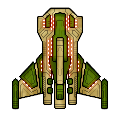
The beautiful spaceship above is your spaceship. In this ZType / Z Type game, you should shoot the approaching enemy spaceships up. The enemy spaceships will approach from the opposite side. But they will not be able to shoot you until they are very close to you. Type the word you see behind your target enemy spaceship before they shoot you.
Very important: Always try to shoot the nearest spaceship first so that no enemy can approach very close to shoot you.
Every time you select a word / enemy, the color of target word will change. Once you successfully finish typing your target word, an explosion will occur and your target enemy will go away.
To select / change difficulty level, please type / press 1, 2, or 3 on your keyboard when you see the game start or game over screen.
You must type fast to win every time in this ZType / Z Type game.
In the easy level, you must score minimum 26 words per minute to win. In the medium level, minimum 46 words per minute is required. But in the hard level, you need minimum 81 words per minute to win.
Virtual Gold Medals: If you score more than 80 words per minute, you will get three virtual gold medals which is the highest rank in this game. If you are winning three virtual gold medals every time, you surely have professional typing skill which is a desired skill for many people. But you get two virtual gold medals if score between 61 and 80. Finally, you get only one gold medal for scoring between 46 and 60.
The spaceships in this ZType / Z Type game are designed by MillionthVector. Thanks to them.
1. Typing Practice » Beginner Level » Home Row (1 - 17)
Practice Lesson 1: Index fingers: J and F
Practice Lesson 2: Middle fingers: K and D
Practice Lesson 3: Review: JFKD
Practice Lesson 4: Ring fingers: S and L
Practice Lesson 5: Pinkie fingers: A and ;
Practice Lesson 6: Index fingers: G and H
Practice Lesson 7: Back and forth
Practice Lesson 8: Left hand keys 1
Practice Lesson 9: Left hand keys 2
Practice Lesson 10: Right hand keys 1
Practice Lesson 11: Right hand keys 2
2. Typing Practice » Beginner Level » Top Row (18 - 32)
Practice Lesson 18: Index fingers: R and U
Practice Lesson 19: Middle fingers: E and I
Practice Lesson 20: Ring fingers: W and O
Practice Lesson 21: Pinkie fingers: Q and P
Practice Lesson 22: Index fingers: T and Y
Practice Lesson 23: Back and forth
Practice Lesson 24: All left hand 1
Practice Lesson 25: All left hand 2
Practice Lesson 26: All right hand 1
Practice Lesson 27: All right hand 2
3. Typing Practice » Beginner Level » Bottom Row (33 - 46)
Practice Lesson 33: Index fingers: V and M
Practice Lesson 34: Middle fingers: C and ,
Practice Lesson 35: Ring fingers: X and .
Practice Lesson 36: Pinkie fingers: Z and /
Practice Lesson 37: Index fingers: B and N
Practice Lesson 38: Back and forth
Practice Lesson 39: All left hand 1
Practice Lesson 40: All left hand 2
Practice Lesson 41: All right hand 1
Practice Lesson 42: All right hand 2
4. Typing Practice » Beginner Level » Miscellaneous (47 - 68)
Practice Lesson 47: Review 1: Left hand words
Practice Lesson 48: Review 2: Right hand words
Practice Lesson 49: Review 3: Alternating hand words
Practice Lesson 50: Capitals 1
Practice Lesson 51: Capitals 2
Practice Lesson 52: Capitals 3
Practice Lesson 53: Capitals 4
Practice Lesson 62: Numeric Keypad 1
Practice Lesson 63: Numeric Keypad 2
Practice Lesson 64: Numeric Keypad 3
Practice Lesson 65: Numeric Keypad 4
Practice Lesson 66: Easy Words
Practice Lesson 67: Easy Words
Practice Lesson 68: Easy Words
5. Typing Practice » Intermediate Level (69 - 110)
Practice Lesson 69: Common Letter Combinations - CK
Practice Lesson 70: Common Letter Combinations - CH
Practice Lesson 71: Common Letter Combinations - PH
Practice Lesson 72: Common Letter Combinations - GH
Practice Lesson 73: Common Letter Combinations - TH
Practice Lesson 74: Common Letter Combinations - DG
Practice Lesson 75: Common Letter Combinations - ION
Practice Lesson 76: Common Letter Combinations - OUS
Practice Lesson 77: Common Letter Combinations - ATE
Practice Lesson 78: Common Letter Combinations - QU
Practice Lesson 79: Common Letter Combinations - IAL
Practice Lesson 80: Common Letter Combinations - ENT
Practice Lesson 81: Common Letter Combinations - ER
Practice Lesson 82: Common Letter Combinations - GRA
Practice Lesson 83: Common Letter Combinations - OR
Practice Lesson 84: Common Letter Combinations - ABLE
Practice Lesson 85: Common Letter Combinations - IC
Practice Lesson 86: Common Letter Combinations - EI
Practice Lesson 87: Common Letter Combinations - ACY
Practice Lesson 88: Common Letter Combinations - EX
Practice Lesson 89: Common Letter Combinations - ON
Practice Lesson 90: Common Letter Combinations - IN
Practice Lesson 91: Common Letter Combinations - ING
Practice Lesson 92: Common Letter Combinations - ARY
Practice Lesson 93: Common Letter Combinations - LY
Practice Lesson 94: Common Letter Combinations - GY
Practice Lesson 95: Common Letter Combinations - ED
Practice Lesson 96: Common Letter Combinations - AL
Practice Lesson 97: Common Letter Combinations - TRAN
Practice Lesson 98: Common phrase practice 1
Practice Lesson 99: Common phrase practice 2
Practice Lesson 100: Common phrase practice 3
Practice Lesson 101: Common phrase practice 4
Practice Lesson 102: Common phrase practice 5
Practice Lesson 103: Common phrase practice 6
Practice Lesson 104: Common phrase practice 7
Practice Lesson 105: Common phrase practice 8
Practice Lesson 106: Common phrase practice 9
Practice Lesson 107: Common phrase practice 10
Practice Lesson 108: Common phrase practice 11
Practice Lesson 109: Common phrase practice 12
Practice Lesson 110: Common phrase practice 13
6. Typing Practice » Advanced Level (111 - 144)
Practice Lesson 111: Using Right Hand SHIFT Key
Practice Lesson 112: Using Left Hand SHIFT key
Practice Lesson 113: Using Each SHIFT Key
Practice Lesson 114: Left hand only - short words
Practice Lesson 115: Left hand only - longer words
Practice Lesson 116: Right hand only - easy words
Practice Lesson 117: Right hand only - harder words
Practice Lesson 118: Words with alternate hands letters
Practice Lesson 119: Numbers and Special Characters - Left hand
Practice Lesson 120: Numbers and Special Characters - Right hand
Practice Lesson 121: Numbers and Special Characters - Left hand - More difficult
Practice Lesson 122: Numbers and Special Characters - Right hand - More difficult
Practice Lesson 123: Tongue twisters 1
Practice Lesson 124: Tongue twisters 2
Practice Lesson 125: Tongue twisters 3
Practice Lesson 126: Tongue twisters 4
Practice Lesson 127: Tongue twisters 5
Practice Lesson 128: Tongue twisters 6
Practice Lesson 129: Tongue twisters 7
Practice Lesson 130: Tongue twisters 8
Practice Lesson 131: Tongue twisters 9
Practice Lesson 132: Tongue twisters 10
Practice Lesson 133: Tongue twisters 11
Practice Lesson 134: Tongue twisters 12
Practice Lesson 135: Tongue twisters 13
Practice Lesson 136: Tongue twisters 14
Practice Lesson 137: Tongue twisters 15
Practice Lesson 138: Tongue twisters 16
Practice Lesson 139: Tongue twisters 17
Practice Lesson 140: Tongue twisters 18
Practice Lesson 141: Tongue twisters 19
Practice Lesson 142: Tongue twisters 20
Practice Lesson 143: The hardest words to type 1
Practice Lesson 144: The hardest words to type 2
7. Typing Practice » Miscellaneous (145 - 166)
Practice Lesson 145: Alphanumeric Typing Test: 1
Practice Lesson 146: Alphanumeric Typing Test: 2
Practice Lesson 147: Alphanumeric Typing Test: 3
Practice Lesson 148: Alphanumeric Typing Test: 4
Practice Lesson 149: Alphanumeric Typing Test: 5
Practice Lesson 150: Alphanumeric Typing Test: 6
Practice Lesson 151: Alphanumeric Typing Test: 7
Practice Lesson 152: Alphanumeric Typing Test: 8
Practice Lesson 153: Alphanumeric Typing Test: 9
Practice Lesson 154: Alphanumeric Typing Test: 10
Practice Lesson 155: English Alphabet Typing Test
Practice Lesson 156: ASDF JKL; - Home-Row Practice
Practice Lesson 157: QWERT YUIOP - Top-Row Practice
Practice Lesson 158: ZXCVB NM,./ - Bottom-Row Practice
Practice Lesson 159: Left Hand Typing Practice
Practice Lesson 160: Right Hand Typing Practice
Practice Lesson 161: Symbols & Special Character
Practice Lesson 162: Numbers & symbols
Practice Lesson 163: Random Word Typing
Practice Lesson 164: Common Word Typing
Practice Lesson 165: Legal Typing Test
Practice Lesson 166: Medical Typing Practice
Practice Lesson 167: Home-Row Typing Practice Words
Practice Lesson 168: Home-Row and Upper Row Typing Practice Words
Online Typing Test in English
1 Minute Typing Test
2 Minute Typing Test
3 Minute Typing Test
5 Minute Typing Test
10 Minute Typing Test
10 Typing Games / Typewriting Games










Bookmark This Page (Ctrl + D)


Typing Test — Top 10 (ten) World Ranking
Get an online typing test certificate now
Please note: We may delete certificates older than 6 (six) months.
Best Score | World Ranking | Countrywise Ranking
Get a Certificate | Register | Log In
WPM = Words per minute
| Sl. | Name | Level | Net WPM | Accuracy | Country |
|---|---|---|---|---|---|
| 1. | Broderick Bagert | Professional | 111 | 99.10% | United States |
| 2. | Farhan | Professional | 93 | 93.96% | Indonesia |
| 3. | Teoh You Le | Professional | 83 | 95.41% | Malaysia |
| 4. | Braeden Edward O'Daniel | Fast | 68 | 97.13% | United States |
| 5. | Laura Elizabeth Ewing | Fast | 67 | 94.38% | United States |
| 6. | Laura Elizabeth Ewing | Fluent | 60 | 93.79% | United States |
| 7. | Laura Elizabeth Ewing | Fluent | 59 | 90.77% | United States |
| 8. | Laura Elizabeth Ewing | Fluent | 56 | 93.29% | United States |
| 9. | Laura Elizabeth Ewing | Fluent | 53 | 82.87% | United States |
| 10. | Osama Abbas hussain | Fluent | 47 | 100.00% | Pakistan |
How we grade your typing speed:
| Level | Net WPM |
|---|---|
| Slow | 0 - 25 |
| Average | 26 - 45 |
| Fluent | 46 - 60 |
| Fast | 61 - 80 |
| Professional | 80+ |
Performance Graph — Based on top 10 (ten) world ranking
Typing Test — Last 25 Practice Results
Get an online typing test certificate now
Please note: We may delete certificates older than 6 (six) months.
Best Score | World Ranking | Countrywise Ranking
Get a Certificate | Register | Log In
The following list shows how some users of this website have performed within last 24 hours.
WPM = Words per minute
How we grade your typing speed:
| Level | Net WPM |
|---|---|
| Slow | 0 - 25 |
| Average | 26 - 45 |
| Fluent | 46 - 60 |
| Fast | 61 - 80 |
| Professional | 80+ |
Performance Graph — Based on last 25 results
Zty Pe Game Online Free Practice For Beginners
Imagine sitting at your computer, meaning to check a few emails, and suddenly finding yourself in the middle of a space battle. Strange little ships glide across the screen with glowing words attached. Your fingers hover over the keyboard. You press one key, then another. A laser shoots out. The enemy explodes. Your heart jumps a little. And before you realize it, you are typing faster and more accurately than you ever have before.
That is the magic of the zty pe game. It looks like a simple browser game, but it secretly trains your brain, your eyes, and your fingers to work together. It turns boring typing practice into something fun, addictive, and surprisingly powerful for beginners.
Here is the big question that keeps people hooked: how can a free online space game help a total beginner become a confident, fast typer in just a short time? Even more interesting, what is the hidden skill inside the zty pe game that most players do not even know they are training?
We will answer that secret later in this guide. For now, keep that question in the back of your mind. As you read, you might start to notice clues. By the time we reveal the secret, you will understand exactly why the zty pe game works so well and how to use it to completely change the way you type.
Why A Game Can Beat A Boring Typing Lesson
Most people try to learn typing in the most painful way possible. They open a plain text lesson, stare at a white screen, and force themselves to type the same sentences over and over again. After a few minutes, their mind drifts. Their eyes get heavy. Their motivation disappears.
Now picture the zty pe game instead. The screen is dark like deep space. Enemies drift toward your ship. Every word you type is a shot. Every correct letter brings a tiny burst of victory. You are not just typing. You are surviving. You want to keep going, not because someone told you to practice, but because you actually want to beat the level and your own high score.
This difference matters. Researchers have found that when learning feels like a game, people stay focused longer and remember more. Game-based learning increases motivation and knowledge retention, which is exactly what beginners need. The zty pe game uses this idea perfectly, turning practice into play.
What Is The Zty Pe Game And How It Works
The zty pe game is a free online typing game where you control a spaceship with your keyboard. Enemy ships float in from the top or sides of the screen, each one tagged with a word. To destroy an enemy, you simply type the word attached to it.
Each letter you type sends a laser from your ship to the enemy. When you finish the word correctly, the enemy explodes. New enemies appear. The pace slowly increases. The longer you survive, the more intense the game feels.
At first, you might see short words like cat, sun, or jump. As you improve, the zty pe game starts sending longer and trickier words. This gradual increase in difficulty keeps things challenging without feeling impossible, which is perfect for beginners just getting used to the keyboard.
The best part is that you do not have to download anything. To play the zty pe game, you just open your browser, search for it, click on a trusted typing website that offers the game, and press play. In seconds, you are learning and playing at the same time.
Step-By-Step: How To Start Playing Zty Pe Game Today
If you are a complete beginner, you might feel a little nervous. Do not worry. The zty pe game is much easier to start than you think. Here is a simple step-by-step way to get going.
Step 1: Open any modern browser like Chrome or Firefox.
Step 2: Type “zty pe game online free” into the search bar.
Step 3: Choose a trusted typing or educational website that hosts the game.
Step 4: Click the play button. There is usually no login or sign-up required.
Step 5: Rest your fingers on the home row keys (A S D F for the left hand and J K L ; for the right hand).
Step 6: When enemies appear, look at the word on the screen, not at your keyboard.
Step 7: Type each letter slowly and carefully at first, making sure you spell the word correctly.
Step 8: As you gain confidence, let your fingers move faster, but always protect your accuracy.
If you follow these steps, your very first zty pe game session will already feel easier and more fun than a normal typing lesson. And that is just the beginning.
Why Zty Pe Game Is Perfect For Complete Beginners
Many typing tools are designed for people who already know the basics. They assume you can find keys quickly. They move too fast. They are full of rules and complex lessons.
The zty pe game is different. It welcomes beginners.
It starts simple. Short words. Slow enemies. No complicated menus. No pressure to perform. The game is more interested in keeping you engaged than in testing you.
As a beginner, you get three big benefits from the zty pe game:
You build comfort with the keyboard without feeling judged.
You practice reading and typing at the same time.
You improve your reaction time while staying relaxed.
For example, imagine a beginner named Alex who can only type with two fingers. Alex plays the zty pe game for just ten minutes a day. At first, Alex is slow and nervous. But the game does not laugh or complain. It just sends the next word. After a week, Alex notices that common words feel easier. The fingers start to move faster without effort. That quiet, natural progress is exactly what makes the zty pe game so powerful for beginners.
The Hidden Skill Zty Pe Game Builds Without You Noticing
Remember the question we opened earlier? The one about the secret skill the zty pe game trains?
Here it is.
Beyond speed and accuracy, the zty pe game trains your reaction mapping. Reaction mapping is the connection between what you see and what your fingers do. When a word appears on the screen, your eyes recognize it, your brain breaks it into letters, and your fingers respond.
At first, this feels slow and clumsy. But after many rounds of the zty pe game, your brain starts skipping steps. You see a word like space, and your fingers almost instantly respond with the correct keys. It happens without conscious thought. That is reaction mapping in action.
This skill does not only help in the zty pe game. It helps you respond faster when writing emails, chatting with friends, taking notes in class, or even gaming with a keyboard. Your fingers stop “thinking” and start “reacting.” That is why regular zty pe game practice can make your whole digital life feel smoother and easier.
How Zty Pe Game Builds Typing Speed Naturally
Typing speed comes from three things working together: familiarity, rhythm, and confidence.
Familiarity is knowing where the keys are. Rhythm is the smooth timing between each keystroke. Confidence is the feeling that you can handle the words without panicking.
The zty pe game builds all three at once.
Every time you play, your fingers move across the same keys again and again. This builds familiarity. The constant flow of enemies forces you into a steady rhythm. If you hesitate too long, the enemy gets closer, so you naturally fall into a quick, regular pace.
Finally, as your scores increase and you survive longer, your confidence grows. You start believing that you are a fast typer. That belief makes you more relaxed, and a relaxed typer is always faster.
Consider this example. A student named Mia starts at 25 words per minute. She plays the zty pe game five days a week for two weeks. She does a typing test after that and finds herself at 38 words per minute. The jump did not come from pressure. It came from daily, fun practice that trained speed without stress.
How Zty Pe Game Improves Accuracy And Reduces Errors
Speed without accuracy is useless. It just creates messy work, frustrating emails, and constant editing. The good news is that the zty pe game helps you build accuracy in a natural way.
If you misspell a word in the zty pe game, the enemy keeps coming. The game does not reward sloppy typing. You have to correct the word to survive. This forces your brain to pay attention to every letter, not just the general shape of the word.
Over time, you start making fewer mistakes. Your fingers learn the correct movements. Your eyes get quicker at checking the word before you start typing. That habit follows you into your everyday typing tasks.
It is like learning to shoot arrows at a target. At first, you just want to hit the board. Later, you want to hit the middle. The longer you play the zty pe game, the closer to the middle your typing shots land.
Smart Strategies To Improve Faster With Zty Pe Game
You can play the zty pe game casually and still get better, but a few smart strategies can speed up your progress.
Start with accuracy, not speed. In your first week, focus on typing each word correctly, even if enemies sometimes reach your ship. Once your accuracy feels strong, then push your speed.
Play in short bursts. Ten to fifteen minutes of focused play works better than one long, tired session. Consistency always beats exhaustion.
Use all your fingers. It is tempting to rely on two or three fingers, but you will improve much faster if you use a proper typing position. Over time, this will let you type longer words in the zty pe game without getting tired.
Try different difficulty levels. Once you become comfortable at the basic level, raise the difficulty so that enemies move faster or words get longer. This keeps your brain challenged and prevents boredom.
Take breaks between rounds. Stand up, stretch, shake out your hands, and take a deep breath. Then sit down and try to beat your last score.
Real-Life Examples Of Zty Pe Game Helping Beginners
Let us look at a few simple stories of how the zty pe game can help real people.
Story 1: The Slow Student
Jamie is a middle school student who types homework very slowly. A simple one-page assignment takes almost an hour. Jamie starts playing the zty pe game for ten minutes before homework each evening. After three weeks, that same assignment takes only thirty minutes. The teacher notices fewer spelling errors and better flow in Jamie’s writing.
Story 2: The Busy Office Worker
Sam works in an office and sends dozens of emails every day. Sam types with two fingers and feels constant pressure to keep up. A friend recommends trying the zty pe game during lunch break. Sam starts playing fifteen minutes a day. After a month, typing emails feels smoother. Sam no longer dreads writing long messages, and work feels less stressful.
Story 3: The Casual Gamer
Taylor plays a lot of computer games but types slowly when chatting with friends online. Taylor finds the zty pe game and treats it like another fun challenge. After a few weeks of regular play, Taylor notices faster chat replies and better reaction time in other games too.
These stories show how a simple zty pe game habit can spill over into school, work, and play.
Zty Pe Game For Students, Workers, And Gamers
The zty pe game is not just for kids or people learning to type for the first time. It is a powerful tool for many types of people.
Students can use it to make essay writing and note taking faster.
Workers can use it to handle emails and reports more easily.
Gamers can use it to improve keyboard control and in-game chat speed.
Even parents and older adults can use the zty pe game to keep their minds sharp and fingers active. Typing is a life skill, and this game gives everyone an easy, low-pressure way to improve it.
Comparing Zty Pe Game To Other Typing Games
There are many typing games online, but the zty pe game has a few advantages that make it stand out.
It is simple to start. No confusing menus or sign-ups.
It looks modern and smooth, which appeals to teens and adults as well as kids.
It increases difficulty gradually, which is perfect for beginners.
It focuses on full words instead of just random letters.
Some typing games feel like they were made only for children. Others feel like serious training tools. The zty pe game sits in the middle. It stays playful while still being a serious training tool in disguise.
The Science Behind Game-Based Typing Practice
Why does the zty pe game work so well? The answer is rooted in how our brains learn best.
When you play, you get constant small rewards: the sound of a laser, the flash of an exploding enemy, the score increasing. These tiny rewards release a bit of pleasure in your brain. That pleasure tells your brain, “This is good. Let us keep doing it.”
At the same time, you are repeating the same skills over and over: reading words, turning them into keystrokes, correcting mistakes, adjusting your speed. Repetition plus reward is one of the strongest learning combinations known in psychology.
Studies on video games and learning have shown that people who learn through interactive games often stay engaged longer than those who learn through lectures or static lessons. The zty pe game uses this science directly, keeping you in a zone where learning feels like entertainment.
Common Mistakes Beginners Make In Zty Pe Game
Even with a game this friendly, beginners still fall into a few common traps.
They look at the keyboard too much. This slows down their improvement. Try to keep your eyes on the screen instead.
They chase speed too early. When you start, go slow. Speed will come later.
They play for too long in a single session. Long, tired sessions can lead to sloppy habits. Short, focused bursts are better.
They ignore posture. Slouching, leaning forward, or bending wrists too much can cause discomfort. Sit up straight with relaxed shoulders and a comfortable chair height.
If you avoid these mistakes, your zty pe game practice will be smoother, safer, and more effective.
Daily Zty Pe Game Routine For Becoming A Fast Typer
If you truly want to become a fast, confident typer, you can follow a simple daily routine built around the zty pe game.
Step 1: Warm up for five minutes with slow, careful play. Focus on accuracy and posture.
Step 2: Play ten minutes at your normal speed. Try to beat your last score or survive longer.
Step 3: Play five minutes on a slightly harder difficulty if available. Treat this as a challenge round.
Step 4: Finish with a two or three minute typing test on a separate site to measure your current words per minute.
In less than half an hour a day, this routine can steadily raise your typing speed and accuracy. The zty pe game becomes the fun middle part that keeps you coming back.
Fun Challenges To Keep Zty Pe Game Interesting
To keep your practice fresh, you can create your own mini-challenges inside the zty pe game.
Try a “no panic” round where you stay completely calm no matter how close enemies get.
Try a “mistake focus” round where you pause mentally for a moment after each mistake and correct it carefully.
Try a “one more level” rule where you always attempt one extra round after you feel like stopping.
You can also play the zty pe game with a friend. Take turns and see who can get the highest score. Friendly competition can push both of you to improve.
Using Zty Pe Game With Kids At Home Or In Class
If you are a parent or teacher, the zty pe game can be a secret weapon to get kids excited about typing.
Instead of saying, “You have to practice typing for twenty minutes,” you can say, “Let us see how far you can get in the zty pe game today.”
You can give small rewards for hitting certain scores or playing consistently all week. Kids love collecting points, stars, or simple praise. The more positive the experience, the more time they will want to spend practicing.
Since the zty pe game is free and runs in a browser, it is easy to use in classrooms, computer labs, or at the kitchen table at home.
Avoiding Fatigue And Staying Healthy While Playing Zty Pe Game
Even though the zty pe game is fun, you still need to take care of your body while playing.
Keep your chair at a height where your elbows are bent at about a right angle.
Keep your feet flat on the floor or on a footrest.
Relax your shoulders and keep your wrists straight, not bent up or down.
Look away from the screen every fifteen or twenty minutes to rest your eyes.
These simple habits will protect you from strain and help you enjoy longer, more productive practice over time.
From Game To Real Life: Taking Your New Skills Beyond Zty Pe Game
After a few weeks of consistent zty pe game practice, you will probably notice something surprising. Tasks that used to feel hard now feel light. Homework, emails, reports, essays, and chat messages flow faster. You spend less time staring at the keyboard and more time thinking about what you want to say.
The true success of the zty pe game does not show up only in your high scores. It shows up in your everyday life.
You will feel more confident using a computer at school or at work.
You will respond to messages faster.
You will feel less nervous when a teacher or boss asks you to type something quickly.
And you will know that your skills came from a tool that never once felt like a boring lesson.
Why Zty Pe Game Is Worth Making A Daily Habit
In a world full of distractions, it is easy to waste time clicking from one app to another and not really learning anything. The zty pe game gives you something better. In just a few minutes a day, you get fun, focus, and real skill-building, all in one place.
For complete beginners, the zty pe game is one of the easiest and most enjoyable ways to start typing practice. For people who already know the basics, it is a powerful way to sharpen speed and accuracy without stress.
If you stick with it, this simple, free zty pe game can turn you from a slow, hesitant keyboard user into a smooth, confident, fast typer who feels completely at home in front of a screen.
And that secret skill we talked about earlier—the fast reaction mapping between your eyes, brain, and fingers—will keep helping you long after you close the game.
So the next time you sit down at your computer, do not just scroll or click around. Open the zty pe game. Fire up your spaceship. Type your way through the stars. And let every exploding enemy ship bring you one step closer to the fast, accurate typing skills you have always wanted.
Frequently Asked Questions About Zty Pe Game For Beginners
You might still have some questions about how to use the zty pe game the right way, especially if you are totally new to typing. Here are a few simple answers that many beginners find helpful.
Question: How long should I play the zty pe game each day?
Answer: For most beginners, ten to twenty minutes a day is enough. The key is consistency. Playing a little bit every day will help you improve much more than playing for a very long time once a week.
Question: What if the zty pe game feels too fast and stressful?
Answer: If the words feel like they are rushing at you, that is a sign you should slow down and focus on accuracy. Some versions of the zty pe game let you start on an easier difficulty. If that option is available, choose the lowest level, breathe slowly, and remember that it is okay to lose a few rounds while you get used to the pace.
Question: Can I use the zty pe game as my only form of typing practice?
Answer: Many people start that way and still see great results. However, combining zty pe game play with short, focused typing drills can help you improve even faster. For example, you might spend five minutes practicing home row keys, then play ten minutes of the zty pe game as a reward.
Question: Do I need a special keyboard to play the zty pe game?
Answer: No. Any regular computer keyboard will work. The most important thing is that the keys feel comfortable to press and that your hands can rest on the home row without stretching too far. If your keyboard feels stiff or painful, you may want to adjust the height of your desk or chair.
Question: What if I keep making the same mistakes in the zty pe game?
Answer: This is actually a good signal. It tells you exactly which words or letters need extra practice. If you keep getting stuck on a certain letter combination, like th or st, try pausing the game and practicing that combination slowly in a separate typing tool. Then return to the zty pe game and notice how much easier it feels.
Troubleshooting When Zty Pe Game Feels Too Easy Or Too Hard
As you keep playing the zty pe game, the difficulty you need will change. In the beginning, even slow enemies and short words may feel hard. But after a few weeks, those same levels might feel too easy. Knowing how to adjust your challenge level will keep your progress moving forward.
If the zty pe game feels too hard, try these tips:
Lower the game difficulty if the option exists.
Play for shorter sessions and take more breaks.
Focus on breathing slowly instead of tensing up.
Remind yourself that losing a round is not a failure; it is just another chance to learn.
If the zty pe game feels too easy, do the opposite:
Raise the difficulty level so that enemies move faster.
Challenge yourself to reach a higher score each time you play.
Try typing without looking at the keyboard at all.
Increase your daily play time slightly, but only if your hands and eyes feel comfortable.
The goal is to stay in a sweet spot where the zty pe game feels challenging enough to keep your brain engaged but not so hard that you feel discouraged. When you find that balance, you will keep growing as a typer, one exciting round of zty pe game at a time.
More Resources
- Learn How to Type Numbers Fast and Accurately
- Best Free Typing Games for Adults to Improve Speed
- Best 5 Minute Typing Test with Certificate Online
- Master Speed With Typingclub Com Test Online
- Learn How to Type on Laptop Step by Step
- Master Typing Speed With Keyboard Test 60
- Best Free Online Keyboard Lessons for Beginners
- Free Fast Typing Per Minute Test for Beginners
- Typing Club Touch Typing Lessons for Beginners
- Typing Words Per Minute Test Online Free