Play Ztype com to Master Keyboard Accuracy
9 more typing games: (1) Nitro Type (2) Ninja Cat (3) TypeRacer / Type Racer (4) Zombie Typing Game Typocalypse (5) Dance Mat Typing (6) Keyboard Climber 2 (7) Just Type This (8) Flying Race (9) Save The Child
★★★ 168 Typing Lessons ★★★ $375 Course FREE (Limited Time Offer)
To start the game, just click on the game canvas or type 1, 2, or 3 on your keyboard.
Complete a Typing Test in 60 Seconds!
144 Free Typing Practice Lessons. Try Now.
Video Tutorial: How to play this game
How to play:
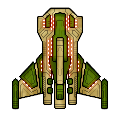
The beautiful spaceship above is your spaceship. In this ZType / Z Type game, you should shoot the approaching enemy spaceships up. The enemy spaceships will approach from the opposite side. But they will not be able to shoot you until they are very close to you. Type the word you see behind your target enemy spaceship before they shoot you.
Very important: Always try to shoot the nearest spaceship first so that no enemy can approach very close to shoot you.
Every time you select a word / enemy, the color of target word will change. Once you successfully finish typing your target word, an explosion will occur and your target enemy will go away.
To select / change difficulty level, please type / press 1, 2, or 3 on your keyboard when you see the game start or game over screen.
You must type fast to win every time in this ZType / Z Type game.
In the easy level, you must score minimum 26 words per minute to win. In the medium level, minimum 46 words per minute is required. But in the hard level, you need minimum 81 words per minute to win.
Virtual Gold Medals: If you score more than 80 words per minute, you will get three virtual gold medals which is the highest rank in this game. If you are winning three virtual gold medals every time, you surely have professional typing skill which is a desired skill for many people. But you get two virtual gold medals if score between 61 and 80. Finally, you get only one gold medal for scoring between 46 and 60.
The spaceships in this ZType / Z Type game are designed by MillionthVector. Thanks to them.
1. Typing Practice » Beginner Level » Home Row (1 - 17)
Practice Lesson 1: Index fingers: J and F
Practice Lesson 2: Middle fingers: K and D
Practice Lesson 3: Review: JFKD
Practice Lesson 4: Ring fingers: S and L
Practice Lesson 5: Pinkie fingers: A and ;
Practice Lesson 6: Index fingers: G and H
Practice Lesson 7: Back and forth
Practice Lesson 8: Left hand keys 1
Practice Lesson 9: Left hand keys 2
Practice Lesson 10: Right hand keys 1
Practice Lesson 11: Right hand keys 2
2. Typing Practice » Beginner Level » Top Row (18 - 32)
Practice Lesson 18: Index fingers: R and U
Practice Lesson 19: Middle fingers: E and I
Practice Lesson 20: Ring fingers: W and O
Practice Lesson 21: Pinkie fingers: Q and P
Practice Lesson 22: Index fingers: T and Y
Practice Lesson 23: Back and forth
Practice Lesson 24: All left hand 1
Practice Lesson 25: All left hand 2
Practice Lesson 26: All right hand 1
Practice Lesson 27: All right hand 2
3. Typing Practice » Beginner Level » Bottom Row (33 - 46)
Practice Lesson 33: Index fingers: V and M
Practice Lesson 34: Middle fingers: C and ,
Practice Lesson 35: Ring fingers: X and .
Practice Lesson 36: Pinkie fingers: Z and /
Practice Lesson 37: Index fingers: B and N
Practice Lesson 38: Back and forth
Practice Lesson 39: All left hand 1
Practice Lesson 40: All left hand 2
Practice Lesson 41: All right hand 1
Practice Lesson 42: All right hand 2
4. Typing Practice » Beginner Level » Miscellaneous (47 - 68)
Practice Lesson 47: Review 1: Left hand words
Practice Lesson 48: Review 2: Right hand words
Practice Lesson 49: Review 3: Alternating hand words
Practice Lesson 50: Capitals 1
Practice Lesson 51: Capitals 2
Practice Lesson 52: Capitals 3
Practice Lesson 53: Capitals 4
Practice Lesson 62: Numeric Keypad 1
Practice Lesson 63: Numeric Keypad 2
Practice Lesson 64: Numeric Keypad 3
Practice Lesson 65: Numeric Keypad 4
Practice Lesson 66: Easy Words
Practice Lesson 67: Easy Words
Practice Lesson 68: Easy Words
5. Typing Practice » Intermediate Level (69 - 110)
Practice Lesson 69: Common Letter Combinations - CK
Practice Lesson 70: Common Letter Combinations - CH
Practice Lesson 71: Common Letter Combinations - PH
Practice Lesson 72: Common Letter Combinations - GH
Practice Lesson 73: Common Letter Combinations - TH
Practice Lesson 74: Common Letter Combinations - DG
Practice Lesson 75: Common Letter Combinations - ION
Practice Lesson 76: Common Letter Combinations - OUS
Practice Lesson 77: Common Letter Combinations - ATE
Practice Lesson 78: Common Letter Combinations - QU
Practice Lesson 79: Common Letter Combinations - IAL
Practice Lesson 80: Common Letter Combinations - ENT
Practice Lesson 81: Common Letter Combinations - ER
Practice Lesson 82: Common Letter Combinations - GRA
Practice Lesson 83: Common Letter Combinations - OR
Practice Lesson 84: Common Letter Combinations - ABLE
Practice Lesson 85: Common Letter Combinations - IC
Practice Lesson 86: Common Letter Combinations - EI
Practice Lesson 87: Common Letter Combinations - ACY
Practice Lesson 88: Common Letter Combinations - EX
Practice Lesson 89: Common Letter Combinations - ON
Practice Lesson 90: Common Letter Combinations - IN
Practice Lesson 91: Common Letter Combinations - ING
Practice Lesson 92: Common Letter Combinations - ARY
Practice Lesson 93: Common Letter Combinations - LY
Practice Lesson 94: Common Letter Combinations - GY
Practice Lesson 95: Common Letter Combinations - ED
Practice Lesson 96: Common Letter Combinations - AL
Practice Lesson 97: Common Letter Combinations - TRAN
Practice Lesson 98: Common phrase practice 1
Practice Lesson 99: Common phrase practice 2
Practice Lesson 100: Common phrase practice 3
Practice Lesson 101: Common phrase practice 4
Practice Lesson 102: Common phrase practice 5
Practice Lesson 103: Common phrase practice 6
Practice Lesson 104: Common phrase practice 7
Practice Lesson 105: Common phrase practice 8
Practice Lesson 106: Common phrase practice 9
Practice Lesson 107: Common phrase practice 10
Practice Lesson 108: Common phrase practice 11
Practice Lesson 109: Common phrase practice 12
Practice Lesson 110: Common phrase practice 13
6. Typing Practice » Advanced Level (111 - 144)
Practice Lesson 111: Using Right Hand SHIFT Key
Practice Lesson 112: Using Left Hand SHIFT key
Practice Lesson 113: Using Each SHIFT Key
Practice Lesson 114: Left hand only - short words
Practice Lesson 115: Left hand only - longer words
Practice Lesson 116: Right hand only - easy words
Practice Lesson 117: Right hand only - harder words
Practice Lesson 118: Words with alternate hands letters
Practice Lesson 119: Numbers and Special Characters - Left hand
Practice Lesson 120: Numbers and Special Characters - Right hand
Practice Lesson 121: Numbers and Special Characters - Left hand - More difficult
Practice Lesson 122: Numbers and Special Characters - Right hand - More difficult
Practice Lesson 123: Tongue twisters 1
Practice Lesson 124: Tongue twisters 2
Practice Lesson 125: Tongue twisters 3
Practice Lesson 126: Tongue twisters 4
Practice Lesson 127: Tongue twisters 5
Practice Lesson 128: Tongue twisters 6
Practice Lesson 129: Tongue twisters 7
Practice Lesson 130: Tongue twisters 8
Practice Lesson 131: Tongue twisters 9
Practice Lesson 132: Tongue twisters 10
Practice Lesson 133: Tongue twisters 11
Practice Lesson 134: Tongue twisters 12
Practice Lesson 135: Tongue twisters 13
Practice Lesson 136: Tongue twisters 14
Practice Lesson 137: Tongue twisters 15
Practice Lesson 138: Tongue twisters 16
Practice Lesson 139: Tongue twisters 17
Practice Lesson 140: Tongue twisters 18
Practice Lesson 141: Tongue twisters 19
Practice Lesson 142: Tongue twisters 20
Practice Lesson 143: The hardest words to type 1
Practice Lesson 144: The hardest words to type 2
7. Typing Practice » Miscellaneous (145 - 166)
Practice Lesson 145: Alphanumeric Typing Test: 1
Practice Lesson 146: Alphanumeric Typing Test: 2
Practice Lesson 147: Alphanumeric Typing Test: 3
Practice Lesson 148: Alphanumeric Typing Test: 4
Practice Lesson 149: Alphanumeric Typing Test: 5
Practice Lesson 150: Alphanumeric Typing Test: 6
Practice Lesson 151: Alphanumeric Typing Test: 7
Practice Lesson 152: Alphanumeric Typing Test: 8
Practice Lesson 153: Alphanumeric Typing Test: 9
Practice Lesson 154: Alphanumeric Typing Test: 10
Practice Lesson 155: English Alphabet Typing Test
Practice Lesson 156: ASDF JKL; - Home-Row Practice
Practice Lesson 157: QWERT YUIOP - Top-Row Practice
Practice Lesson 158: ZXCVB NM,./ - Bottom-Row Practice
Practice Lesson 159: Left Hand Typing Practice
Practice Lesson 160: Right Hand Typing Practice
Practice Lesson 161: Symbols & Special Character
Practice Lesson 162: Numbers & symbols
Practice Lesson 163: Random Word Typing
Practice Lesson 164: Common Word Typing
Practice Lesson 165: Legal Typing Test
Practice Lesson 166: Medical Typing Practice
Practice Lesson 167: Home-Row Typing Practice Words
Practice Lesson 168: Home-Row and Upper Row Typing Practice Words
Online Typing Test in English
1 Minute Typing Test
2 Minute Typing Test
3 Minute Typing Test
5 Minute Typing Test
10 Minute Typing Test
10 Typing Games / Typewriting Games










Bookmark This Page (Ctrl + D)


Typing Test — Top 10 (ten) World Ranking
Get an online typing test certificate now
Please note: We may delete certificates older than 6 (six) months.
Best Score | World Ranking | Countrywise Ranking
Get a Certificate | Register | Log In
WPM = Words per minute
| Sl. | Name | Level | Net WPM | Accuracy | Country |
|---|---|---|---|---|---|
| 1. | Broderick Bagert | Professional | 111 | 99.10% | United States |
| 2. | Farhan | Professional | 93 | 93.96% | Indonesia |
| 3. | Teoh You Le | Professional | 83 | 95.41% | Malaysia |
| 4. | Braeden Edward O'Daniel | Fast | 68 | 97.13% | United States |
| 5. | Laura Elizabeth Ewing | Fast | 67 | 94.38% | United States |
| 6. | Laura Elizabeth Ewing | Fluent | 60 | 93.79% | United States |
| 7. | Laura Elizabeth Ewing | Fluent | 59 | 90.77% | United States |
| 8. | Laura Elizabeth Ewing | Fluent | 56 | 93.29% | United States |
| 9. | Laura Elizabeth Ewing | Fluent | 53 | 82.87% | United States |
| 10. | Osama Abbas hussain | Fluent | 47 | 100.00% | Pakistan |
How we grade your typing speed:
| Level | Net WPM |
|---|---|
| Slow | 0 - 25 |
| Average | 26 - 45 |
| Fluent | 46 - 60 |
| Fast | 61 - 80 |
| Professional | 80+ |
Performance Graph — Based on top 10 (ten) world ranking
Typing Test — Last 25 Practice Results
Get an online typing test certificate now
Please note: We may delete certificates older than 6 (six) months.
Best Score | World Ranking | Countrywise Ranking
Get a Certificate | Register | Log In
The following list shows how some users of this website have performed within last 24 hours.
WPM = Words per minute
How we grade your typing speed:
| Level | Net WPM |
|---|---|
| Slow | 0 - 25 |
| Average | 26 - 45 |
| Fluent | 46 - 60 |
| Fast | 61 - 80 |
| Professional | 80+ |
Performance Graph — Based on last 25 results
Play Ztype com to Master Keyboard Accuracy
The moment you hear the phrase “Ztype com,” you might picture a simple typing game. But what if I told you this little game could secretly transform you into a typing master faster than any boring tutorial ever could? Imagine defending your spaceship against waves of enemies by simply typing words. That’s right. Your keyboard becomes your weapon. Your accuracy determines your survival. Sounds fun, right? But here’s the real secret: Ztype com isn’t just a game. It’s a complete typing trainer cleverly disguised as an intergalactic adventure. And once you start playing, you might never look at typing practice the same way again.
Why Ztype com Became So Popular
Ztype com took the internet by storm because it solved a big problem—typing practice used to be dull. Traditional lessons felt repetitive and mechanical. Most people quit after a few minutes. Ztype com changed all that. It added speed, competition, and fun into something everyone needs to improve: typing. The mix of gaming and learning is what keeps people hooked. Beginners love it because they can learn without pressure, and advanced typists enjoy the challenge of breaking their high scores.
The Magic Behind Ztype com
At its core, Ztype com is a simple concept. You control a spaceship floating in space. Words start falling from the top of the screen like enemy ships. To destroy them, you must type each word correctly before it reaches your ship. Every letter you type fires a shot, and when you complete a word, the enemy explodes in a burst of light. The faster and more accurately you type, the longer you survive. The magic lies in this blend of action and learning. It feels like a space battle, but it’s training your fingers to find the right keys quickly and effortlessly.
Why Typing Accuracy Matters More Than Speed
Before we go deeper, let’s talk about something many beginners get wrong. Everyone wants to type fast. They want to see big numbers on their WPM test. But speed without accuracy is like driving a car fast without steering straight. You might get somewhere, but it won’t be pretty. Ztype com focuses on accuracy first. When you type the wrong letter, the game doesn’t forgive you easily. It forces you to slow down and think about precision. Once you master accuracy, your speed naturally increases. That’s why Ztype com is such a powerful training tool—it teaches discipline and control while keeping the fun alive.
Getting Started With Ztype com
To start playing Ztype com, all you need is a keyboard and an internet connection. Go to the Ztype com website, and the game loads instantly in your browser. There’s no need to sign up or install anything. Once it starts, press the spacebar to begin. You’ll see your ship appear in the middle of the screen, and words will start floating down. Type what you see, and watch as your ship fires laser beams. Each level becomes progressively harder, pushing you to type faster and with fewer mistakes.
Understanding the Gameplay and Levels
Ztype com isn’t just random chaos. It’s built around levels that increase in difficulty as you progress. Early levels might feature short words like “dog” or “sun.” Later levels throw in longer, more complex words like “navigation” or “responsibility.” This gradual challenge keeps your learning curve steady and motivating. You might fail a few times, but every attempt strengthens your typing reflexes. You’ll start recognizing word patterns, your fingers will find keys automatically, and your overall coordination improves without you even noticing.
The Science Behind Ztype com’s Learning Method
What makes Ztype com so effective isn’t just its gameplay—it’s backed by solid learning principles. When you combine repetition with immediate feedback, your brain forms stronger connections. Each time you type a word correctly and see an instant reward (like an explosion or a score increase), your brain releases dopamine, a chemical linked to motivation and pleasure. This reward system keeps you coming back. Studies show that gamified learning improves engagement by over 60 percent compared to traditional methods. That’s exactly why Ztype com works—it turns practice into play.
How Ztype com Builds Muscle Memory
Typing well isn’t about memorizing the keyboard layout. It’s about muscle memory. When you practice consistently, your fingers learn the position of each key automatically. Ztype com reinforces this by forcing you to react quickly to random words. You can’t plan ahead or rely on patterns. This randomness helps develop true reflexes. After a few sessions, you’ll notice your hands gliding across the keyboard without effort. That’s muscle memory in action, and it’s one of the biggest benefits of playing Ztype com regularly.
Why Ztype com Is Perfect for Beginners
If you’re new to typing, Ztype com is the best place to start. It doesn’t overwhelm you with boring drills or long lessons. Instead, it engages your brain through sound, visuals, and instant interaction. You’ll find yourself focusing without realizing you’re learning. Many beginners make progress faster in a few hours of Ztype com than they do in weeks of traditional typing lessons. It’s learning through fun, not force.
Common Mistakes Beginners Make on Ztype com
When starting out, many players try to type too fast. They panic when the screen fills with words and start mashing keys. The trick is to stay calm. Ztype com rewards accuracy, not chaos. Another mistake is ignoring posture and hand placement. If your hands are not positioned properly, you’ll end up making more mistakes and tiring your fingers quickly. Make sure your thumbs rest lightly on the spacebar and your fingers hover over the home row keys—A, S, D, F, J, K, L, and ;. Once your hands are in position, your typing will feel smoother and more natural.
The Role of Focus and Concentration
Typing games like Ztype com don’t just improve your typing skills—they train your brain to focus under pressure. You can’t afford distractions when multiple words fall toward your ship. Every second counts. This kind of focus builds mental endurance. Over time, you’ll notice that your attention span improves not just in typing but also in daily tasks like studying, coding, or writing emails.
Fun Challenges to Try on Ztype com
One way to stay motivated is by setting personal goals. Try beating your own high score or surviving a certain number of levels without making a mistake. You can even challenge your friends to play Ztype com and compare results. Turn it into a friendly competition. The more you play, the more you’ll improve, and you might even surprise yourself with how much faster and more accurate you become.
How Ztype com Helps in Real Life
Typing faster and more accurately can save you hours each week. Think about how often you type—emails, reports, chats, forms, even social media posts. If you increase your speed by just 20 words per minute, you’ll complete tasks noticeably quicker. Ztype com doesn’t just make you better at the game—it makes you better at life. Employers value typing efficiency, and it’s a skill that stays useful forever.
How Long Should You Play Ztype com Each Day
You don’t need to spend hours daily to see improvement. Even ten to fifteen minutes a day can make a big difference. The key is consistency. Just like exercising, regular short sessions are better than long, infrequent ones. After a week, you’ll start noticing small improvements. After a month, you’ll feel the difference every time you touch the keyboard.
Tips to Improve Faster on Ztype com
Start slow and focus on accuracy first. Don’t worry about your WPM right away. Once you can type correctly without errors, your speed will naturally rise. Take breaks to prevent fatigue. Keep your wrists relaxed and avoid pressing keys too hard. Practice daily, even if only for a few minutes. And most importantly, have fun. When you enjoy what you’re doing, learning becomes effortless.
Ztype com vs Traditional Typing Practice
Traditional typing programs usually focus on repetition. They make you type the same sentences again and again. It works, but it can get boring fast. Ztype com, on the other hand, keeps things exciting by mixing random words, levels, and fast-paced action. It’s a perfect balance between entertainment and education. That’s why so many people prefer it over traditional methods.
Why Gamified Learning Works So Well
Our brains love rewards. When we achieve something small—like finishing a level or beating a score—it gives us motivation to keep going. Ztype com uses this psychology to its advantage. It doesn’t punish you for learning; it encourages you with every victory. This type of gamified learning has become popular across the world, from language learning apps to fitness trackers. The idea is simple: when learning feels like play, people stick with it.
Ztype com as a Stress Reliever
Typing might not sound relaxing, but Ztype com can actually help you unwind. The combination of music, visuals, and focus creates a meditative rhythm. When you’re in the zone, you forget your worries and just react to what’s on the screen. It’s satisfying to see words explode as you type them out. For many players, Ztype com becomes a way to de-stress after work or school while still improving a valuable skill.
How to Track Your Progress
Ztype com tracks your score and performance after each round. You’ll see how many enemies you destroyed, your accuracy rate, and your total words per minute. Use this feedback to set goals. Try to increase your accuracy percentage each time. Over time, you’ll notice the difference—not just in the game, but whenever you type in real situations.
Using Ztype com on Different Devices
Although Ztype com is best enjoyed on a computer keyboard, you can also play it on tablets with external keyboards. Mobile devices might not provide the same experience because touchscreen typing doesn’t help with traditional keyboard skills. However, for quick fun or practice on the go, it still offers a light workout for your brain and fingers.
The Secret Advantage of Playing Ztype com Daily
Here’s the part most people overlook. The more you play Ztype com, the more your brain adapts to reading and typing simultaneously. This improves not only your typing but also your reading speed and comprehension. It trains your brain to process information faster. That’s why people who play typing games often notice they can write and think more clearly. It’s a mental exercise disguised as a game.
Why Ztype com Keeps You Hooked
Ztype com uses rhythm, challenge, and reward to create flow. When you’re playing, you’re completely focused. You lose track of time. That’s called “flow state,” a powerful psychological zone where learning happens at its peak. Ztype com helps you enter that state easily because it matches your skill level perfectly—never too easy, never too hard. It’s that balance that keeps you coming back for more.
Can Ztype com Make You a Professional Typist
While Ztype com alone won’t turn you into a professional transcriptionist overnight, it builds the foundation for expert-level typing. Once you master accuracy and rhythm through the game, you can easily apply those skills to professional typing software or workplace tasks. Many players who started with Ztype com later became some of the fastest typists in their offices simply because they practiced regularly without feeling like they were working.
How Ztype com Helps Build Confidence in Typing
Confidence plays a huge role in how quickly someone learns to type. Many beginners hesitate to type because they are afraid of making mistakes. Ztype com changes that mindset by giving instant feedback in a fun and forgiving environment. Each correct word boosts your confidence, while mistakes simply become part of the game. This constant loop of success and improvement helps build typing confidence naturally. You begin to trust your fingers more, and soon, you are typing long passages without even glancing at the keyboard. The more confident you feel, the faster your progress becomes.
The Role of Sound and Visuals in Ztype com
What makes Ztype com stand out from other typing games is how it uses sound and visuals to enhance learning. Every explosion, every laser sound, and every color shift stimulates your brain to stay alert and focused. The sound effects help you develop rhythm while typing, almost like playing a musical instrument. The background music adds intensity to the experience, pushing you to type faster while keeping the energy high. Visually, the glowing text and space theme keep your attention locked in, which is essential for maintaining long typing sessions without boredom.
How Teachers Use Ztype com in Classrooms
Ztype com isn’t just for individual learners. Many teachers use it in classrooms to help students improve typing skills in a fun and competitive way. Instead of assigning boring drills, teachers let students play Ztype com for a few minutes during computer lab sessions. The instant engagement from the game keeps students motivated. They start challenging each other for high scores, turning learning into a shared adventure. Teachers often report that students who regularly play Ztype com show noticeable improvement in their accuracy and typing confidence within just a few weeks.
The Hidden Benefit of Error Correction
Mistakes are part of every learning process, and Ztype com handles them brilliantly. When you type a wrong letter, you must quickly backtrack to fix it. This teaches your brain to stay alert and respond fast. Over time, this habit of instant correction becomes automatic, improving not just your typing accuracy but also your problem-solving skills. You develop a mindset of quick recovery instead of frustration, which helps in both typing and real-life challenges.
Ztype com and Cognitive Development
Typing might seem like a mechanical task, but it deeply engages your brain. When you play Ztype com, multiple areas of your brain light up at once—visual processing, motor control, memory, and attention. This mental workout improves cognitive flexibility, which is your brain’s ability to switch between tasks efficiently. Many players notice that their focus sharpens and their reaction times improve after playing regularly. It is similar to mental training exercises used to boost brain performance, only much more enjoyable.
Why Ztype com Is Great for Kids
Parents looking for an educational yet fun way for their kids to learn typing often choose Ztype com. It feels like a game, but it teaches valuable skills. Kids enjoy blasting words in space while secretly mastering keyboard control. The non-violent nature of the game also makes it parent-approved. Since it’s browser-based and free to play, kids can use it at home or school easily. Over time, their spelling, typing accuracy, and reading speed all improve, which also helps in schoolwork and homework tasks.
How Adults Benefit From Playing Ztype com
Adults often underestimate the value of improving typing speed, but in today’s digital world, it’s a crucial skill. Whether you are writing reports, sending emails, or coding, every keystroke counts. Ztype com helps adults sharpen this everyday skill without the pressure of traditional training. It offers a quick mental break from work while still being productive. Playing a few rounds of Ztype com during a lunch break can refresh your focus and boost your typing performance throughout the day.
Ztype com as a Productivity Booster
One of the unexpected advantages of Ztype com is how it indirectly increases productivity. Fast and accurate typing means you complete tasks quicker. The game trains your brain to react swiftly and think clearly under time pressure. These skills translate into better performance at work or school. You begin finishing projects, writing assignments, and responding to messages much faster than before. Productivity isn’t just about working harder—it’s about working smarter, and Ztype com helps you do exactly that.
Adapting Ztype com Into a Daily Routine
Incorporating Ztype com into your daily routine is simple. Treat it like your typing warm-up. Before you start working or studying, play one or two quick rounds. It gets your fingers moving and your brain focused. Over time, it becomes a habit that keeps your typing sharp and your mind active. You can also use it to unwind at the end of the day. Instead of scrolling social media, play Ztype com for a few minutes to clear your mind and practice at the same time.
Comparing Ztype com With Other Typing Games
There are many typing games out there, but few match the simplicity and engagement of Ztype com. Games like Typing Attack or Type Racer focus more on competition, which can sometimes feel stressful for beginners. Ztype com, on the other hand, creates a relaxed learning environment with no pressure. You can play at your own pace, focus on your weaknesses, and gradually improve without feeling judged. This makes it ideal for beginners and casual learners who prefer personal growth over competition.
The Importance of Consistency in Typing Practice
Even the best tools like Ztype com won’t work if you don’t practice regularly. Consistency is the secret ingredient to improvement. A few minutes every day produces far better results than hours once in a while. The steady repetition helps your brain and muscles adapt to the rhythm of typing. Think of it like learning to play a musical instrument—the more consistent you are, the more natural it becomes.
The Community Around Ztype com
Over the years, Ztype com has gathered a loyal community of players worldwide. Forums and online discussions often feature people sharing their scores, challenges, and progress stories. Some even organize small competitions to test their skills. Being part of this community keeps you motivated. When you see others improving, it inspires you to push your limits too. This sense of belonging makes learning typing a shared experience rather than a lonely task.
How Ztype com Inspires Lifelong Learning
Ztype com teaches more than typing—it teaches persistence, patience, and the power of progress. Once you see yourself improving through fun and consistency, you start applying the same mindset elsewhere. You learn that small daily efforts can lead to big results. This lesson extends beyond the keyboard. It shows that growth, in any area of life, comes from steady, focused practice.
Future of Typing Games Like Ztype com
With technology advancing, typing games like Ztype com will only get better. Developers are adding more adaptive learning systems, new challenges, and even multiplayer modes. The future might include AI-driven lessons that adjust difficulty based on your performance. But even as it evolves, the essence of Ztype com will remain the same—turning typing practice into a thrilling, rewarding adventure.
Conclusion: Why Ztype com Is Worth Your Time
In a world where attention spans are short and learning feels like a chore, Ztype com stands out as a rare gem. It combines education, excitement, and self-improvement into one smooth experience. You don’t need to be a gamer or a tech expert to enjoy it. Just a keyboard, a few minutes, and the willingness to improve. Every round makes you sharper, faster, and more confident. So, if you are looking for a fun and effective way to build typing accuracy, Ztype com might just be the best thing you play today.
Final Thoughts on Ztype com
Ztype com is more than a typing game—it’s a journey. It teaches you patience, focus, accuracy, and discipline while wrapping everything in a fun, engaging experience. It’s perfect for kids, students, and adults alike. Whether you want to improve your typing for work, school, or just personal satisfaction, Ztype com gives you the right mix of fun and challenge to get there. So the next time you think of practicing typing, skip the boring drills. Play Ztype com, have fun, and watch your typing accuracy soar higher than you ever imagined.
More Resources
- Boost Your Skills with Typing 60 Seconds Challenge
- Best 10 Finger Typing Test English for Beginners
- Learn to Type with Free Typing Games Online
- Typing Lesson One for Complete Beginners
- Best Beginner Typing Speed Test to Boost Your Skills
- Best Type Writing Classes for Beginners
- Learn to Typing Fast and Improve Your Speed
- Best Type Com Lessons for Absolute Beginners
- Ratatype Typing Test to Boost Your Speed Fast
- Free Touch Typing for Beginners: Start Learning Today